



Crochet Project Planner, Pattern Organizer & Stitch Tracker with Yarn Calculator and Printable PDF Export
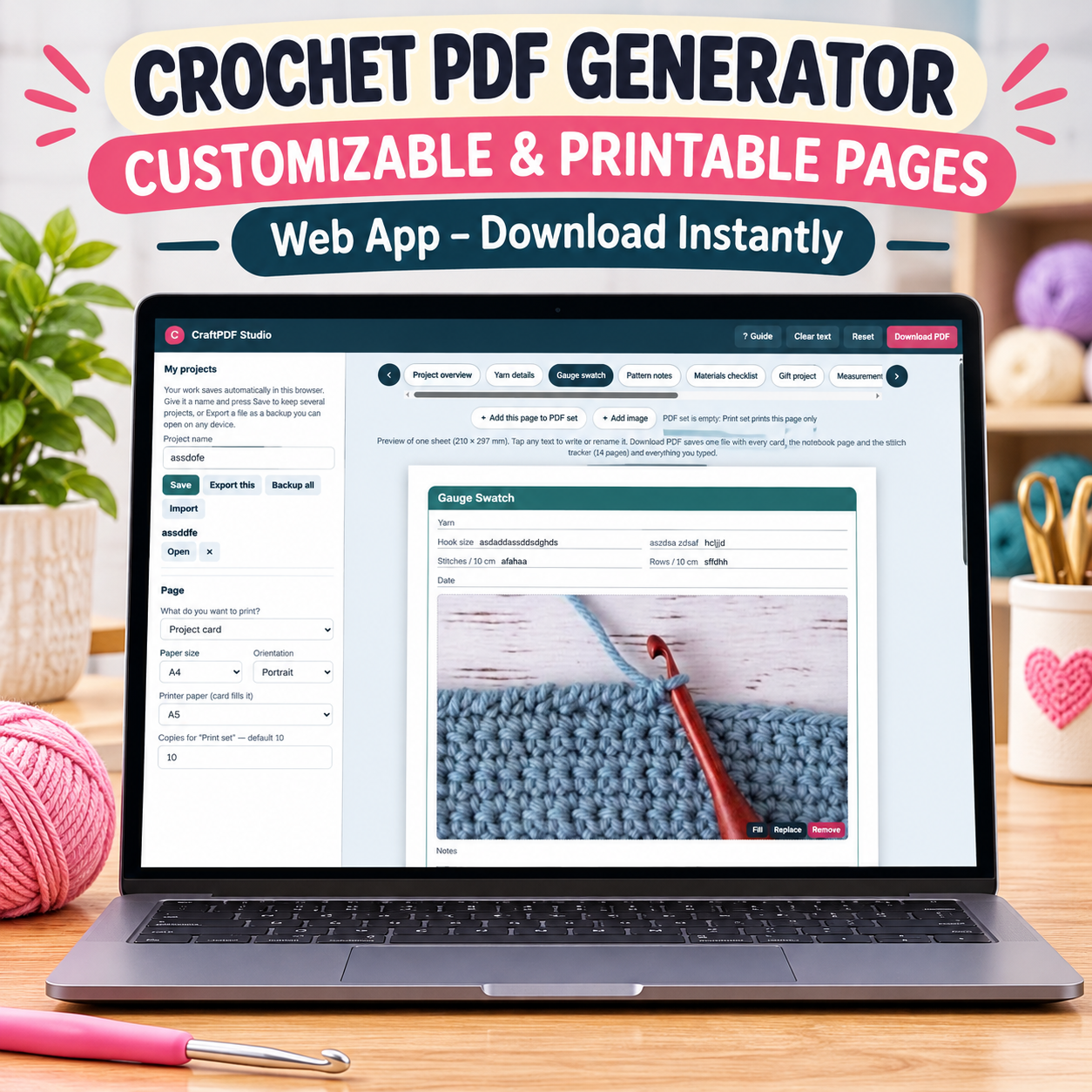
Organize your crochet projects, track stitches, manage yarn, and create personalized printable PDF planners with CraftPDF Studio!
Tired of scattered crochet notes, forgotten patterns, and handwritten stitch counts? CraftPDF Studio brings your crochet planning tools together in one convenient workspace.
Whether you create amigurumi, blankets, clothing, or handmade gifts, you can organize project details, track progress, and document every creation. Moreover, you can design personalized pages and build your own printable PDF collection.
WHAT CAN YOU DO WITH CRAFTPDF STUDIO?
1. 12 Crochet Project Card Designs
Choose from 12 templates covering project details, yarn information, gauge swatches, pattern notes, materials, gifts, measurements, stitch legends, color plans, finished projects, amigurumi parts, and round counting.
2. Customizable Crochet Notebook
Create notebook pages in four styles: ruled, grid, dotted, and blank. Additionally, customize writing spacing and title and date lines.
3. Crochet Stitch Tracker
Track 5–60 rows, record stitch counts, add notes, mark completed rows, and create custom columns.
4. Personalize Every Page
Edit headings and fields, add photos and checklists, choose colors and fonts, and customize layouts. You can also resize, move, replace, or remove images and select 1, 2, or 4 project cards per sheet.
5. Printable PDF Collection Builder
Combine project cards, notebook pages, and stitch trackers into one personalized PDF. Furthermore, arrange pages, edit designs, select copy quantities, and print in your preferred order.
6. Flexible Paper Sizes
Choose A4, A5, A6, US Letter, Half Letter, or custom dimensions in centimeters or inches. You can also print smaller project cards on larger paper.
7. Project Saving & Backup
Save multiple named projects and reopen them whenever needed. In addition, export individual projects, back up your collection, and import saved project files.
WHY YOU’LL LOVE IT
- Organize crochet patterns and project details.
- Track yarn, colors, materials, and measurements.
- Manage stitches, rounds, and project progress.
- Create personalized printable crochet planner pages.
- Document finished projects and reuse templates.
- Keep your crochet records organized in one place.
IMPORTANT PRODUCT INFORMATION
- Interactive HTML application, not a static PDF.
- Instant digital download.
- Opens directly in your web browser.
- No subscription or external hosting required.
- Projects are saved locally in your browser.
- Create, edit, and export printable PDFs.
- No physical product will be shipped.
Turn your crochet ideas into organized, beautifully documented projects with CraftPDF Studio!
New Shirt Arrivals
crochet pattern converter, us to uk stitch translator, crochet row tracker, pdf pattern tool, stitch guide
HookSwitch – Crochet Pattern Converter & Stitch Translator
What You Will Gain From This App
Stop struggling with confusing US and UK crochet terminology! HookSwitch helps you convert international crochet patterns, understand stitch abbreviations, organize your patterns, and track your progress. Save time, avoid terminology confusion, and enjoy your crochet projects with greater confidence.App Features
US to UK & UK to US Converter: Convert supported crochet stitch abbreviations and pattern instructions between American and British terminology while preserving the original structure. PDF Pattern Import: Upload PDF patterns and extract readable text for conversion. Smart Stitch Checker: Identify common crochet terminology and detect possible US/UK terminology differences. Stitch Cheat Sheets: Generate and print useful stitch references with converted terms and stitch counts. My Patterns Library: Save, search, reopen, and download your converted patterns. Crochet Row Tracker: Track your current row and save your progress as you work. Full-Screen Crochet Mode: Follow your patterns with a clear display, large navigation buttons, and a progress indicator. Crochet Reference Guides: Access stitch abbreviations, hook size conversions, yarn weight references, and gauge information. Stitch of the Day: Discover crochet stitches and learn their US and UK equivalents. Dashboard & Backup: View your saved patterns and activity, customize light or dark mode, and import or export backups.Simple, Convenient & Offline
HookSwitch works offline without an account, subscription, or external server. Your saved patterns and progress stay locally in your browser, giving you a convenient workspace for your crochet projects. Make international crochet patterns easier to understand and keep everything you need in one place!
Granny Square Blanket Planner, Crochet Design App, Yarn Calculator, Color Planner & Project Tracker
GrannySquare Studio – Crochet Blanket Planner & Yarn Calculator
Instant Digital Delivery: Once your payment is completed, a download link will be sent to your email address. Download your application and start planning!What You Will Gain From This App
Planning a granny square blanket becomes easier with GrannySquare Studio. Design beautiful color combinations, preview your finished blanket, calculate yarn quantities and costs, and organize every stage of your crochet project in one place. Save time, reduce material waste, and avoid unnecessary guesswork before you start crocheting.Key Features
1. Granny Square Designer: Create two custom square designs (A and B), choose 3–7 rounds, customize colors, and generate harmonious palettes. 2. Blanket Visualizer: Preview your blanket and choose Baby, Throw, Twin, Queen, King, Bag, Cardigan, or custom sizes. Explore different layouts and color patterns. 3. Yarn Calculator: Estimate yarn requirements by color, including joining and border yarn. Customize yarn weight, hook size, and skein length, with an optional 10% safety buffer. 4. Cost Calculator: Enter yarn prices to calculate estimated material expenses and plan your budget. 5. Gauge Calibration: Enter your square measurements and actual yarn usage for more personalized estimates. 6. Joining Planner: Choose your joining method, view a visual joining diagram, track completed seams, and print joining instructions. 7. Scrap Yarn Organizer: Add leftover yarn quantities and colors to help incorporate existing supplies into your project. 8. Progress & Time Tracker: Mark completed squares, monitor project progress, and use the built-in timer to track working hours and estimate remaining time. 9. Project Management: Save multiple projects, export backups, and import previously saved designs. 10. Printable Project Plan: Print or save your blanket layout, square designs, color recipes, yarn shopping list, cost estimates, and joining instructions as PDF. 11. Flexible Measurements: Switch between inches and yards or centimetres and metres.Why Choose GrannySquare Studio?
- Design and visualize blankets before crocheting.
- Plan yarn quantities and estimated costs.
- Organize colors and leftover materials.
- Track your progress and working time.
- Keep your crochet projects organized.
- Print shopping lists and project plans.
Important Information
- Digital product – no physical item will be shipped.
- Delivered as a downloadable HTML application.
- No installation, account, subscription, or external server required.
- Opens in a modern web browser and is designed to work offline.
- Projects are saved locally in your browser.
- Export backups regularly, especially before changing devices or clearing browser data.
- Yarn quantities and costs are estimates and may vary depending on yarn, hook size, tension, and technique.
Paycheck Budget Planner, Biweekly Budget App, Bill Payment Organizer, Expense Tracker, Debt & Savings Planner
Paycheck-to-Paycheck Budget Planner – Take Control of Every Paycheck!
What You Will Gain From This App
Living paycheck to paycheck can make managing money stressful. Paycheck-to-Paycheck Budget Planner helps you organize your income, plan upcoming bills, track expenses, and know how much you can safely spend before your next payday. Whether you get paid weekly, biweekly, twice a month, or monthly, this budgeting app gives you a clearer picture of your finances. As a result, you can prepare for upcoming payments, avoid unexpected cash shortages, manage debt, and build savings goals—all in one convenient place.Powerful Features
1. Smart Financial Dashboard: View your current balance, next paycheck, upcoming bills, projected cash flow gaps, and safe-to-spend amount at a glance. 2. Paycheck & Income Manager: Organize multiple income sources, pay schedules, hourly wages, working hours, deductions, and variable earnings. 3. Bill Payment Tracker: Manage bills, due dates, recurring payments, overdue bills, and payment statuses. Moreover, recurring bills automatically generate their next scheduled payments. 4. Paycheck Budget Planner: Assign bills to individual paychecks and see your expected income, allocated expenses, and remaining balance for each period. 5. Cash Flow Calendar: Track paydays, bill deadlines, and daily expenses in one organized calendar. Simply select a date to review its financial details. 6. Expense Tracker & Monthly Budgets: Record purchases, categorize spending, and monitor monthly budget limits. This helps you understand where your money goes. 7. Savings Goal Planner: Set savings targets, monitor progress, and allocate fixed amounts or percentages from your paychecks toward your goals. 8. Debt Repayment Tracker: Organize debt balances, interest rates, and minimum payments. Additionally, record repayments and monitor your progress. 9. Cash Flow Forecast: Project your financial balance for 30, 60, or 90 days. Identify potential shortages and set a minimum safety cushion to help protect your budget. 10. Financial Reports & Backups: Export financial records as CSV files, print or save PDF reports, and create backups to restore your data whenever needed. 11. Calendar Payment Reminders: Export upcoming bills and payday events to your personal calendar using ICS files. These events include scheduled reminders based on your calendar settings. 12. Customizable Settings: Choose from multiple currencies, including USD, EUR, GBP, MAD, and CAD. You can also switch between light and dark themes and personalize your financial settings. 13. Private & Offline Access: Use this standalone HTML application directly in your browser. No account, external server, or monthly subscription is required. Your financial data stays locally in your browser on your device.What Is Included?
- Complete interactive HTML budgeting application.
- Instant digital download and lifetime access.
- Built-in user guide.
- Financial data backup and restoration options.
- Compatible with computers, tablets, and smartphones.
Important Information
- Digital product – no physical item will be shipped.
- Downloadable HTML application.
- No installation, account, or recurring subscription required.
- Designed to work offline after downloading.
- Your financial data is stored locally in your browser.
- Export regular backups to protect your information.
- Financial forecasts are estimates based on the information you enter.
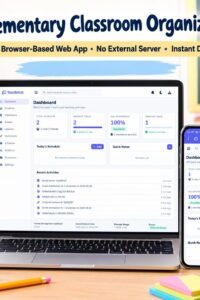
Elementary Teacher Planner & Classroom Organizer – Digital Dashboard HTML App
Elementary Classroom Organizer (TeachHub) – Simplify Your Classroom Management
What You Will Gain
Make classroom management easier with Elementary Classroom Organizer (TeachHub). This all-in-one app helps teachers save time and stay organized. Manage student records, track attendance, monitor grades, and plan lessons from one simple dashboard. In addition, you can organize homework and keep important classroom notes in one place. Best of all, TeachHub works offline directly in your browser. No external servers, complex installations, or monthly subscriptions are required. As a result, you can enjoy convenient access, private data storage, and a mobile-friendly experience wherever you work.Powerful Features & Key Capabilities
- Teacher Dashboard & Real-Time Statistics: View your classroom at a glance. Track student totals, daily attendance, pending tasks, and recent activities. This way, you can stay informed and organized.
- Student Management System: Easily add, edit, and organize student profiles. Store IDs, grade levels, contact details, and important medical or allergy notes. Moreover, you can export student records to CSV files anytime.
- Attendance Tracker & Grade Book: Record daily attendance with one click. Choose Present, Absent, Late, or Excused. Additionally, track grade distributions, calculate point scores, and manage letter grades from A to F.
- Lesson Planner & Homework Manager: Create structured lesson plans with objectives, durations, and priorities. Meanwhile, track homework assignments from pending submissions to completion.
- Weekly Timetable & Quick Notes: Organize your schedule by days and rooms. Furthermore, use the built-in notes widget to save quick ideas, reminders, and important information.
- Analytics & Local Backup: Explore interactive charts showing attendance trends, grade distributions, and classroom performance. In addition, protect your records with local browser storage and JSON backup options.
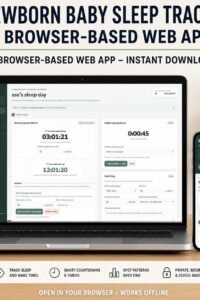
Newborn Sleep Tracker, Baby Sleep Log, Nap Schedule & Wake Window Calculator, Infant Sleep Planner App
Newborn Sleep Companion — Bring Calm and Clarity to Your Baby’s First Months
As a new parent, navigating your newborn's unpredictable sleep schedule can feel overwhelming. Little Rest helps take the guesswork out of your days and nights. It helps you understand your baby’s natural rhythms without the stress of rigid schedules.What You Will Benefit From (Why You’ll Love It):
- Peace of Mind & Less Stress: Stop guessing when your baby needs to sleep. Clear countdowns and gentle reminders help you anticipate sleepy windows before overtiredness sets in.
- Better Rest for the Whole Family: Track wake windows, naps, and night wakings to discover your baby's sleep patterns. As a result, bedtime can become smoother and the whole family can enjoy more rest.
- A Calmer Night Routine: Dedicated night-waking tools and quiet-hour insights help you manage nighttime feeds and resettling with confidence. This way, you can handle nighttime routines with greater ease.
- Total Privacy & Zero Hassle: No accounts, complicated setups, or data tracking are required. Moreover, your baby’s records stay safe and private on your own device, ready whenever you need them.
Key Features of the App:
- Smart Sleep & Wake Countdowns: Automatically calculate age-appropriate wake windows and count down to the next nap or bedtime. In addition, enjoy gentle audio reminders.
- Dedicated Night-Waking Timer: Easily track how long your baby stays awake during night wakings. You can also log reasons like hunger, diaper changes, or comfort with a single tap.
- Comprehensive Daily & Weekly Overviews: View daytime naps, night sleep totals, and frequent waking reasons at a glance. Furthermore, export clean PDF reports to share with your pediatrician.
- Built-in Newborn Sleep Guide: Access an expert-backed, plain-language guide covering safe sleep practices, swaddling tips, and soothing techniques. It also explains when to call the doctor.
- Offline-First & Browser-Based: Works instantly in any browser without requiring an app store download or internet connection. Moreover, it is fully responsive across desktop, tablet, and mobile.
- Custom Baby Profile: Personalize your dashboard with your baby's name, birth date, and photo. Additionally, track development milestones seamlessly.
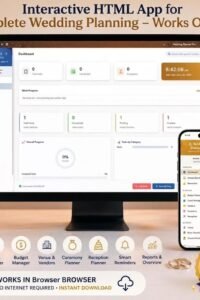
Wedding Planner Pro – Interactive HTML Wedding Organizer & Budget Tracker
What You Will Gain From This App
Planning your dream wedding is stress-free with Wedding Planner Pro, an all-in-one digital command center. Say goodbye to scattered spreadsheets and missed deadlines. This offline-capable app saves you hours, protects your budget, and gives you total peace of mind.
Key Features of Wedding Planner Pro
-
100% Offline & Instant Access: Works instantly in any browser without internet or software installation.
-
Master Checklist & Reminders: Track every task from engagement to honeymoon with priority levels and reminders.
-
Advanced Budget Manager: Keep finances under control by tracking expenses, payments, and balances.
-
Guest List Manager: Manage RSVPs, meal choices, seating charts, and gifts effortlessly.
-
Vendors & Timelines: Organize vendor contracts alongside minute-by-minute ceremony and reception timelines.
-
Specialized Checklists & Honeymoon: Includes bride/groom checklists, venue details, and honeymoon itineraries.
-
Reports & PDF Export: Visualize progress with live charts and export comprehensive reports to PDF.
-
Custom Themes & Auto-Save: Personalize with gorgeous color themes and secure local auto-save protection.
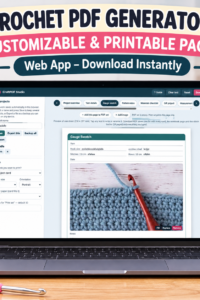
Crochet Project Planner, Pattern Organizer, Stitch Tracker, Yarn Journal & Printable PDF Creator
Crochet Project Planner, Pattern Organizer & Stitch Tracker with Yarn Calculator and Printable PDF Export
Organize your crochet projects, track stitches, manage yarn, and create personalized printable PDF planners with CraftPDF Studio! Tired of scattered crochet notes, forgotten patterns, and handwritten stitch counts? CraftPDF Studio brings your crochet planning tools together in one convenient workspace. Whether you create amigurumi, blankets, clothing, or handmade gifts, you can organize project details, track progress, and document every creation. Moreover, you can design personalized pages and build your own printable PDF collection.WHAT CAN YOU DO WITH CRAFTPDF STUDIO?
1. 12 Crochet Project Card Designs Choose from 12 templates covering project details, yarn information, gauge swatches, pattern notes, materials, gifts, measurements, stitch legends, color plans, finished projects, amigurumi parts, and round counting. 2. Customizable Crochet Notebook Create notebook pages in four styles: ruled, grid, dotted, and blank. Additionally, customize writing spacing and title and date lines. 3. Crochet Stitch Tracker Track 5–60 rows, record stitch counts, add notes, mark completed rows, and create custom columns. 4. Personalize Every Page Edit headings and fields, add photos and checklists, choose colors and fonts, and customize layouts. You can also resize, move, replace, or remove images and select 1, 2, or 4 project cards per sheet. 5. Printable PDF Collection Builder Combine project cards, notebook pages, and stitch trackers into one personalized PDF. Furthermore, arrange pages, edit designs, select copy quantities, and print in your preferred order. 6. Flexible Paper Sizes Choose A4, A5, A6, US Letter, Half Letter, or custom dimensions in centimeters or inches. You can also print smaller project cards on larger paper. 7. Project Saving & Backup Save multiple named projects and reopen them whenever needed. In addition, export individual projects, back up your collection, and import saved project files.WHY YOU'LL LOVE IT
- Organize crochet patterns and project details.
- Track yarn, colors, materials, and measurements.
- Manage stitches, rounds, and project progress.
- Create personalized printable crochet planner pages.
- Document finished projects and reuse templates.
- Keep your crochet records organized in one place.
IMPORTANT PRODUCT INFORMATION
- Interactive HTML application, not a static PDF.
- Instant digital download.
- Opens directly in your web browser.
- No subscription or external hosting required.
- Projects are saved locally in your browser.
- Create, edit, and export printable PDFs.
- No physical product will be shipped.
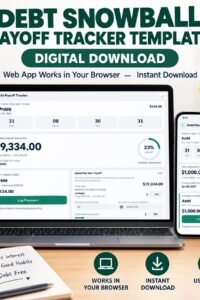
Debt Payoff Planner for Credit Cards & Loans, Snowball Calculator, Debt Repayment Tracker & Payment Organizer
Debt Payoff Planner – Build Your Debt-Free Plan!
Take control of credit cards, loans, and multiple debts with one easy-to-use interactive planner. Organize balances, compare repayment strategies, estimate your debt-free date, and track every payment.✨ Key Features
- Debt Organizer: Add, edit, and manage different types of debts, balances, interest rates, and due dates.
- Snowball & Avalanche: Compare both repayment strategies and choose your preferred method.
- Debt-Free Calculator: Estimate payoff dates, repayment duration, and total interest.
- Monthly Payment Planner: Set budgets and customize payments for each debt.
- Extra Payment Scenarios: Calculate potential savings from additional monthly or one-time payments.
- Due Date Countdown: Monitor upcoming and overdue payments.
- Progress Tracker: Record payments, update balances, view history, and track payoff milestones.
- Financial Summary: Monitor total debt, remaining balances, and estimated interest.
🔒 Private & Offline
- Instant digital download.
- Interactive HTML application.
- Works on desktop and mobile browsers.
- Works offline after downloading.
- No login, subscription, or external server.
- Automatic local saving.
- JSON data backup and restore.
- Printable PDF reports.
- Light and dark modes.
📦 What You Receive
One interactive Debt Payoff Planner HTML application. Download, open in your browser, and start organizing your repayment journey. Important: Payoff dates and interest amounts are estimates, not lender quotes or financial advice. Data is stored locally in your browser. Clearing browser data may erase saved information, so keep a backup.
Monthly Budget Planner for Expense Tracking, Bill Payments, Savings Goals and Personal Finance Management
Monthly Budget Planner – Manage Your Money with Confidence!
Struggling to track expenses, manage bills, or save money each month? ClearBudget is an interactive monthly budget planner that brings your income, expenses, bills, budgets, and savings goals together in one easy-to-use application. Know how much you earn, where your money goes, and how much you have left. Stay organized, control spending, and make better financial decisions.Main Features
- Financial Dashboard: View income, expenses, available balance, savings progress, and spending charts.
- Income Tracker: Record salary and other income, with recurring entries.
- Expense Tracker: Organize daily spending into categories.
- Budget Planner: Set monthly spending limits and monitor remaining amounts.
- Bill Payment Tracker: Manage due dates and track paid, upcoming, and overdue bills.
- Recurring Transactions: Manage repeating income, expenses, and bills.
- Savings Goals: Set targets, add funds, and monitor progress.
- Transaction History: Search, edit, and review financial records.
Additional Tools
- Six-month income and expense comparison chart.
- Six currency options: USD, GBP, EUR, CAD, AUD, and MAD.
- Monthly savings target.
- Print or save reports as PDF.
- Export transactions to CSV.
- Import and export JSON backups.
Instant Digital Download
- Interactive HTML application, not a static PDF.
- Works offline when opened as a local file.
- No subscription, external hosting, or account required.
- Your records are stored locally in your browser.
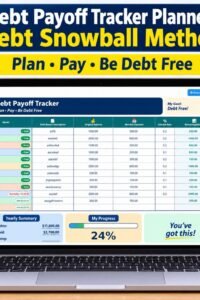
Debt Payoff Planner: Snowball & Avalanche Calculator, Monthly Payment Tracker, Debt-Free Plan
Debt Payoff Tracker Planner – Your Path to Becoming Debt-Free!
Take control of multiple debts with a clear repayment plan. Organize balances, manage monthly payments, compare payoff strategies, and track your progress toward becoming debt-free.Key Features
- Debt Organizer: Add debts with balances, interest rates, and minimum payments.
- Snowball & Avalanche Methods: Compare both strategies and choose your preferred approach.
- Debt-Free Calculator: Estimate your payoff date, repayment duration, and total interest.
- Monthly Payment Plan: View a detailed repayment schedule.
- Extra Payment Scenarios: Test additional payments of $25, $50, $100, or $200.
- Payment Tracker: Record payments, update balances, and review payment history.
- Yearly Planner: Monitor all 12 months, payment status, and remaining balances.
- Reports & Exports: View progress charts, print or save PDF reports, and export plans to CSV.
Private & Offline
- Instant digital download.
- Interactive HTML application.
- Works offline in your browser.
- No login, subscription, or external server.
- Automatically saves data locally on your device.
What You Receive
One interactive Debt Payoff Tracker application to organize your debts and manage your repayment journey. Important: Payoff dates and interest amounts are estimates, not financial advice or lender quotes. Your data is stored in your browser and may be lost if browser data is cleared.
Crochet Stitch Counter & Row Tracker, Project Planner for Rounds, Repeats, Notes and Rhythm Timer
🧶 Crochet Stitch Counter & Project Tracker
Never lose your place while crocheting again! Keep every stitch, row, round, and pattern repeat organized with this all-in-one interactive Crochet Tracker. Designed for beginners and experienced crocheters, it helps you count accurately, manage multiple projects, and monitor your crafting progress.✨ KEY FEATURES
1. Four Crochet Counters- Stitch Counter with +, − and Undo.
- Row Counter.
- Round Counter.
- Repeat Counter.
- See every stitch in a visual grid.
- Highlight your current stitch.
- Jump to any stitch.
- Save checkpoints and resume where you stopped.
- Create and manage multiple projects.
- Set project names and difficulty levels.
- Track total rows, rounds, and stitches.
- Configure turning chains and pattern repeats.
- Monitor progress with percentage indicators.
- Slanting edges.
- Narrowing work.
- Widening work.
- Twisting work.
- Audio cues for individual stitches.
- Adjustable stitching speed.
- Automatic counting and row completion alerts.
- Personalized pace suggestions.
- 5, 10, 15, and 20-minute breaks.
- Break reminders and alerts.
- Track working time, stitches, and completed rows.
- Track daily stitches, rows, rounds, and repeats.
- Monitor working hours and stitching speed.
- Estimate remaining project time.
- Organize weekly tasks and rest days.
- Automatic local saving.
- Export and import project backups.
- Generate printable project reports.
- Print or save reports as PDF.
💜 WHO IS IT FOR?
Perfect for beginner and experienced crocheters, amigurumi makers, and anyone creating blankets, sweaters, scarves, hats, and other crochet projects.📥 WHAT YOU RECEIVE
- One downloadable interactive HTML application.
- Opens in a compatible web browser.
- No hosting or monthly subscription.
- Offline-friendly after downloading.
- Works on compatible computers and mobile devices.
- Project data stored locally in your browser.
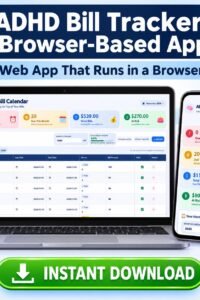
ADHD Bill Tracker, Monthly Bill Calendar & Budget Planner, Due Date Organizer for Adults
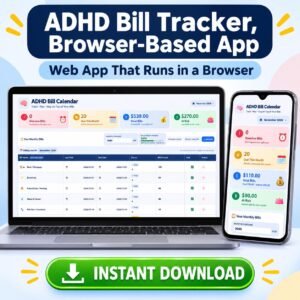 Take Control of Your Monthly Bills Without the Stress!
Stay organized and avoid forgetting important payment dates with the ADHD Bill Tracker, an interactive app designed to simplify household bill management.
Keep all your bills in one dashboard, track payments, monitor overdue amounts, and understand how monthly expenses affect your income and budget.
KEY FEATURES
- Monthly Bill Calendar: Organize and review bills across different months.
- Bill Tracker: Add unlimited bills, edit amounts, names, icons, and due dates.
- Payment Status: Mark bills as paid and record payment dates.
- Live Countdown: Track remaining days, hours, and minutes until each due date.
- Overdue Alerts: Identify late and approaching payments with color-coded indicators.
- Financial Dashboard: View total bills, overdue payments, and unpaid amounts.
- Budget Planner: Compare expenses with your monthly income and budget.
- Automatic Monthly Scheduling: Carry recurring bills into future months.
- Print & Save PDF: Keep printable copies of your monthly bill records.
HOW IT WORKS
- Download your HTML app.
- Open it in your web browser.
- Customize your bills and payment dates.
- Enter your monthly income and budget.
- Track payments and review your dashboard.
- Print or save your records as PDF.
DIGITAL PRODUCT BENEFITS
- Interactive HTML application, not a static PDF.
- Works on computers, tablets, and smartphones.
- Works offline after downloading.
- No subscription, registration, or hosting required.
- Automatic local saving in your browser.
- USD, EUR, and GBP currency options.
- One-time purchase for ongoing personal use.


