
Crochet Project Planner, Pattern Organizer, Stitch Tracker, Yarn Journal & Printable PDF Creator to Pinterest (opens in a new window)

Crochet Project Planner, Pattern Organizer, Stitch Tracker, Yarn Journal & Printable PDF Creator
Crochet Project Planner, Pattern Organizer & Stitch Tracker with Yarn Calculator and Printable PDF Export
Organize your crochet projects, track stitches, manage yarn, and create personalized printable PDF planners with CraftPDF Studio! Tired of scattered crochet notes, forgotten patterns, and handwritten stitch counts? CraftPDF Studio brings your crochet planning tools together in one convenient workspace. Whether you create amigurumi, blankets, clothing, or handmade gifts, you can organize project details, track progress, and document every creation. Moreover, you can design personalized pages and build your own printable PDF collection.WHAT CAN YOU DO WITH CRAFTPDF STUDIO?
1. 12 Crochet Project Card Designs Choose from 12 templates covering project details, yarn information, gauge swatches, pattern notes, materials, gifts, measurements, stitch legends, color plans, finished projects, amigurumi parts, and round counting. 2. Customizable Crochet Notebook Create notebook pages in four styles: ruled, grid, dotted, and blank. Additionally, customize writing spacing and title and date lines. 3. Crochet Stitch Tracker Track 5–60 rows, record stitch counts, add notes, mark completed rows, and create custom columns. 4. Personalize Every Page Edit headings and fields, add photos and checklists, choose colors and fonts, and customize layouts. You can also resize, move, replace, or remove images and select 1, 2, or 4 project cards per sheet. 5. Printable PDF Collection Builder Combine project cards, notebook pages, and stitch trackers into one personalized PDF. Furthermore, arrange pages, edit designs, select copy quantities, and print in your preferred order. 6. Flexible Paper Sizes Choose A4, A5, A6, US Letter, Half Letter, or custom dimensions in centimeters or inches. You can also print smaller project cards on larger paper. 7. Project Saving & Backup Save multiple named projects and reopen them whenever needed. In addition, export individual projects, back up your collection, and import saved project files.WHY YOU'LL LOVE IT
- Organize crochet patterns and project details.
- Track yarn, colors, materials, and measurements.
- Manage stitches, rounds, and project progress.
- Create personalized printable crochet planner pages.
- Document finished projects and reuse templates.
- Keep your crochet records organized in one place.
IMPORTANT PRODUCT INFORMATION
- Interactive HTML application, not a static PDF.
- Instant digital download.
- Opens directly in your web browser.
- No subscription or external hosting required.
- Projects are saved locally in your browser.
- Create, edit, and export printable PDFs.
- No physical product will be shipped.
Crochet Project Planner: Track Your Rows, Stitches, and Yarn for Every Project to Pinterest (opens in a new window)
Crochet Project Planner: Track Your Rows, Stitches, and Yarn for Every Project
🧶
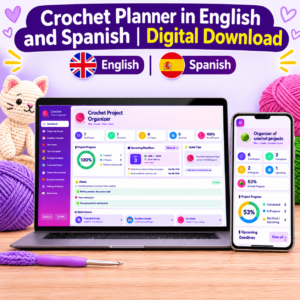
Elevate Your Crochet Passion to a Professional Level with the Smart Crochet Project Organizer!
Do you ever struggle with lost pattern rows, mixed-up yarn skeins, or calculating fair prices for items you sell to friends and clients? The Crochet Project Organizer offers a seamless solution to organize your creative work without chaos or complicated software. It is custom-built for every crafter and crochet lover seeking better organization and time management.💡 What Will You Benefit From Right Away? (Client Benefits)
- Say Goodbye to Forgetting and Losing Track: Keep all your current, postponed, and completed projects organized in one place. Moreover, their deadlines and patterns remain accessible in your browser.
- Save Time and Money: Thanks to the smart yarn calculator, you can estimate the quantities you need. As a result, you can avoid buying excess yarn or running out of supplies mid-project.
- Set Fair and Profitable Prices: Wondering how to price your handmade items? The pricing calculator combines yarn costs, working hours, and shipping expenses. This helps you calculate a fair price and understand your net profit without undervaluing your effort.
- Manage Clients and Orders Professionally: Track customer names, color details, paid and remaining balances, and delivery dates. This way, you can keep your orders organized and your clients informed.
- Precise Tracking for Time and Rows: No more losing focus! The digital row counter and work timer track your progress step by step, all the way to the finish line.
✨ Amazing App Features to Ease Your Crafting Life
- Smart, Comprehensive Dashboard: Get a quick overview of your overall completion rate and nearest deadlines. In addition, receive instant alerts when yarn stock runs low.
- Complete Project & Pattern Management: Store project names, types, priorities, and notes. You can also attach PDF pattern files or images (up to 25 MB), along with links and dimensions.
- Timer & Row Counter: Start a session and automatically log your working hours. Furthermore, track rows and stitch counts with a single click.
- Deadline Calendar: Use the visual calendar to organize project deadlines, business tasks, and customer order delivery dates in one place.
- Yarn Stash: Keep track of yarn brands, colors, and remaining quantities. Moreover, link each yarn to its specific project and receive automatic low-stock warnings.
- Customer Orders Management: Track payment statuses (unpaid, deposit paid, or paid in full). You can also monitor shipping statuses (not shipped, shipped, or delivered).
- Business Essentials: Access a reference checklist covering everything your home-based business needs, including supplies, packaging, marketing, and quality.
- Easy and Secure Backup: Your data is stored locally on your device. In addition, you can export and import JSON backup files, export CSV reports, and print a comprehensive PDF report with a single click.
🌐 Available in Two Languages to Suit Your Needs!
The application features a flexible and easy-to-use interface in both English and Spanish (English & Español). Additionally, you can switch languages instantly using the translation button in the sidebar. Choose the language that makes you most comfortable while working!🧶 Start now, organize your creativity, and turn your hobby into a successful, relaxing enterprise!
Crochet Stitch Counter & Row Tracker, Project Planner for Rounds, Repeats, Notes and Rhythm Timer to Pinterest (opens in a new window)
Crochet Stitch Counter & Row Tracker, Project Planner for Rounds, Repeats, Notes and Rhythm Timer
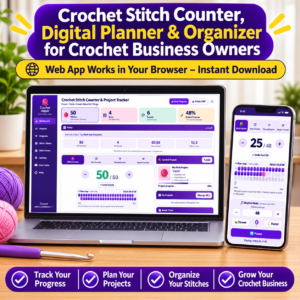
🧶 Crochet Stitch Counter & Project Tracker
Never lose your place while crocheting again! Keep every stitch, row, round, and pattern repeat organized with this all-in-one interactive Crochet Tracker. Designed for beginners and experienced crocheters, it helps you count accurately, manage multiple projects, and monitor your crafting progress.✨ KEY FEATURES
1. Four Crochet Counters- Stitch Counter with +, − and Undo.
- Row Counter.
- Round Counter.
- Repeat Counter.
- See every stitch in a visual grid.
- Highlight your current stitch.
- Jump to any stitch.
- Save checkpoints and resume where you stopped.
- Create and manage multiple projects.
- Set project names and difficulty levels.
- Track total rows, rounds, and stitches.
- Configure turning chains and pattern repeats.
- Monitor progress with percentage indicators.
- Slanting edges.
- Narrowing work.
- Widening work.
- Twisting work.
- Audio cues for individual stitches.
- Adjustable stitching speed.
- Automatic counting and row completion alerts.
- Personalized pace suggestions.
- 5, 10, 15, and 20-minute breaks.
- Break reminders and alerts.
- Track working time, stitches, and completed rows.
- Track daily stitches, rows, rounds, and repeats.
- Monitor working hours and stitching speed.
- Estimate remaining project time.
- Organize weekly tasks and rest days.
- Automatic local saving.
- Export and import project backups.
- Generate printable project reports.
- Print or save reports as PDF.
💜 WHO IS IT FOR?
Perfect for beginner and experienced crocheters, amigurumi makers, and anyone creating blankets, sweaters, scarves, hats, and other crochet projects.📥 WHAT YOU RECEIVE
- One downloadable interactive HTML application.
- Opens in a compatible web browser.
- No hosting or monthly subscription.
- Offline-friendly after downloading.
- Works on compatible computers and mobile devices.
- Project data stored locally in your browser.
Granny Square Blanket Planner, Crochet Design App, Yarn Calculator, Color Planner & Project Tracker to Pinterest (opens in a new window)
Granny Square Blanket Planner, Crochet Design App, Yarn Calculator, Color Planner & Project Tracker
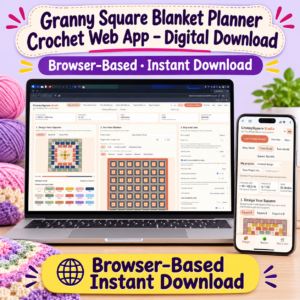
GrannySquare Studio – Crochet Blanket Planner & Yarn Calculator
Instant Digital Delivery: Once your payment is completed, a download link will be sent to your email address. Download your application and start planning!What You Will Gain From This App
Planning a granny square blanket becomes easier with GrannySquare Studio. Design beautiful color combinations, preview your finished blanket, calculate yarn quantities and costs, and organize every stage of your crochet project in one place. Save time, reduce material waste, and avoid unnecessary guesswork before you start crocheting.Key Features
1. Granny Square Designer: Create two custom square designs (A and B), choose 3–7 rounds, customize colors, and generate harmonious palettes. 2. Blanket Visualizer: Preview your blanket and choose Baby, Throw, Twin, Queen, King, Bag, Cardigan, or custom sizes. Explore different layouts and color patterns. 3. Yarn Calculator: Estimate yarn requirements by color, including joining and border yarn. Customize yarn weight, hook size, and skein length, with an optional 10% safety buffer. 4. Cost Calculator: Enter yarn prices to calculate estimated material expenses and plan your budget. 5. Gauge Calibration: Enter your square measurements and actual yarn usage for more personalized estimates. 6. Joining Planner: Choose your joining method, view a visual joining diagram, track completed seams, and print joining instructions. 7. Scrap Yarn Organizer: Add leftover yarn quantities and colors to help incorporate existing supplies into your project. 8. Progress & Time Tracker: Mark completed squares, monitor project progress, and use the built-in timer to track working hours and estimate remaining time. 9. Project Management: Save multiple projects, export backups, and import previously saved designs. 10. Printable Project Plan: Print or save your blanket layout, square designs, color recipes, yarn shopping list, cost estimates, and joining instructions as PDF. 11. Flexible Measurements: Switch between inches and yards or centimetres and metres.Why Choose GrannySquare Studio?
- Design and visualize blankets before crocheting.
- Plan yarn quantities and estimated costs.
- Organize colors and leftover materials.
- Track your progress and working time.
- Keep your crochet projects organized.
- Print shopping lists and project plans.
Important Information
- Digital product – no physical item will be shipped.
- Delivered as a downloadable HTML application.
- No installation, account, subscription, or external server required.
- Opens in a modern web browser and is designed to work offline.
- Projects are saved locally in your browser.
- Export backups regularly, especially before changing devices or clearing browser data.
- Yarn quantities and costs are estimates and may vary depending on yarn, hook size, tension, and technique.


